

Follow the following steps to Add Team in Cloud Cost
- Go to your Home view in Cloud Cost Report App in Slack
-
Click Add Team

- Setup Team
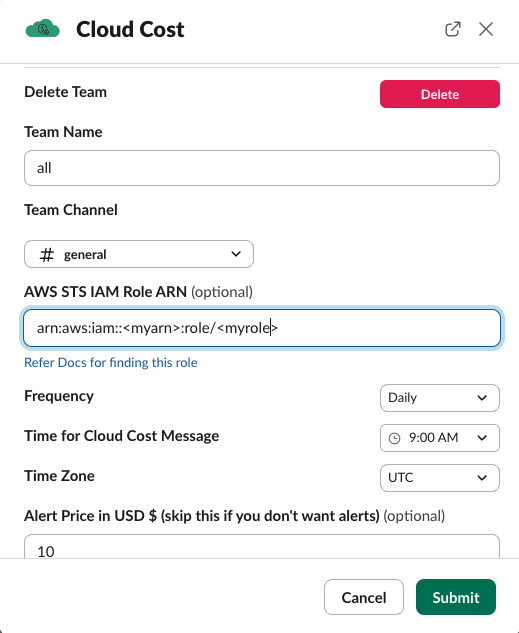
- Team name: To uniquely identify the team in CloudCost App
- Team channel: Slack Channel to receive the Cost and Report
- AWS STS IAM ROLE ARN: The IAM role was created last step.
-
Frequency: When to receive the reports
- For Daily Frequency, you have All 7 days, Monday-Friday, Monday-Saturday
- For Weekly Frequency, you can choose any day of the week
- For Monthly, you can chose the day of the month
- Time: At which time to receive the report
- Team Tag (optional) & Team Tag value (optional) : If you want to recieve report only for certain tags .
- Pricing Alert : The price you want the alerts as soon it croses the threshold